 Browser extension · Free
Screenshot
Suite
Capture a whole page, a snip or a tricky dropdown. Mark it up, record your screen or voice, and save it as an image, a video or one long PDF — without anything leaving your computer.
v2.3.0 · 2.5 MB · Chrome, Edge, Brave
- No sign-up
- No watermark
- Nothing uploaded
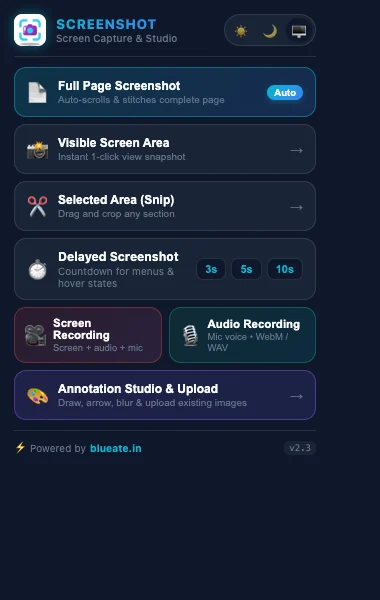
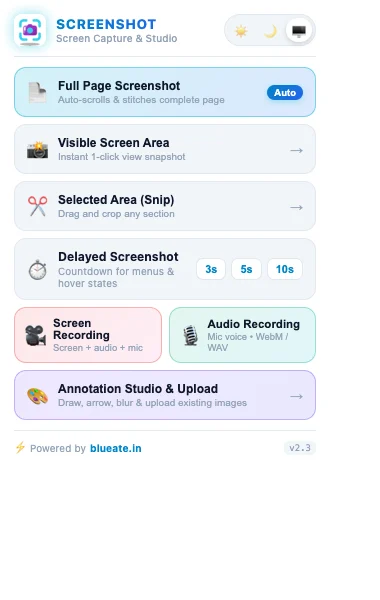
Four ways to grab exactly what you need.
Full page
Scrolls the whole page and stitches it into one clean image — long articles, tables, receipts.
Visible area
One click for exactly what’s on screen right now.
Snip
Drag a box with live pixel size. Crisp, never blurry.
Delayed
3, 5 or 10-second countdown for menus and tooltips that vanish on click.
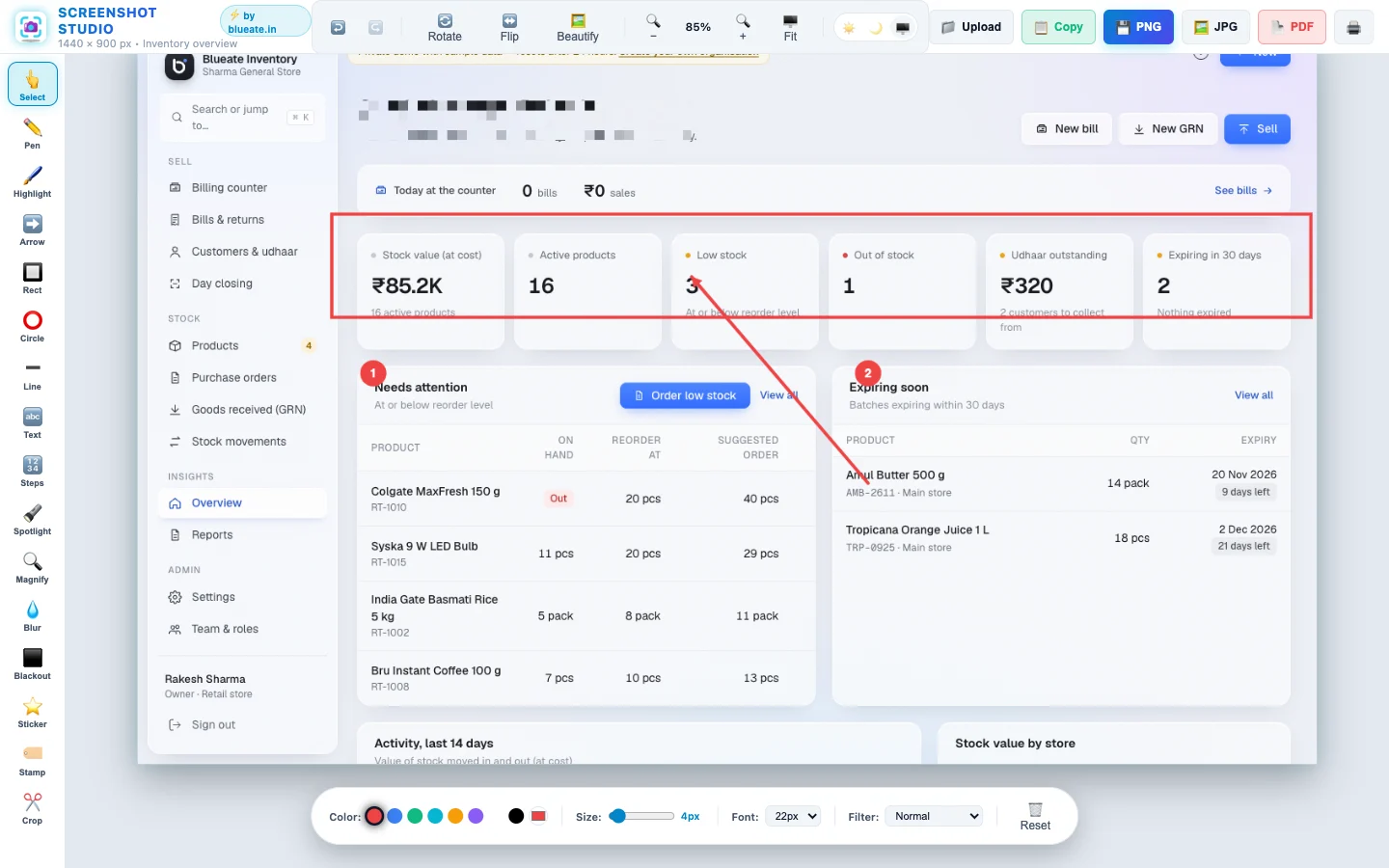
Point at the problem. Hide what’s private.
Arrows and numbered steps make a bug report or a how-to obvious at a glance. Blur names, phone numbers and IDs before you share. You can also drop in any image or PDF to edit it.
- Arrow
- Box & circle
- Numbered steps
- Text
- Highlighter
- Pen
- Blur / mosaic
- Blackout
- Spotlight
- Magnifier
- Stickers
- Timestamp
- Crop
- Undo / redo
Show it instead of typing it.
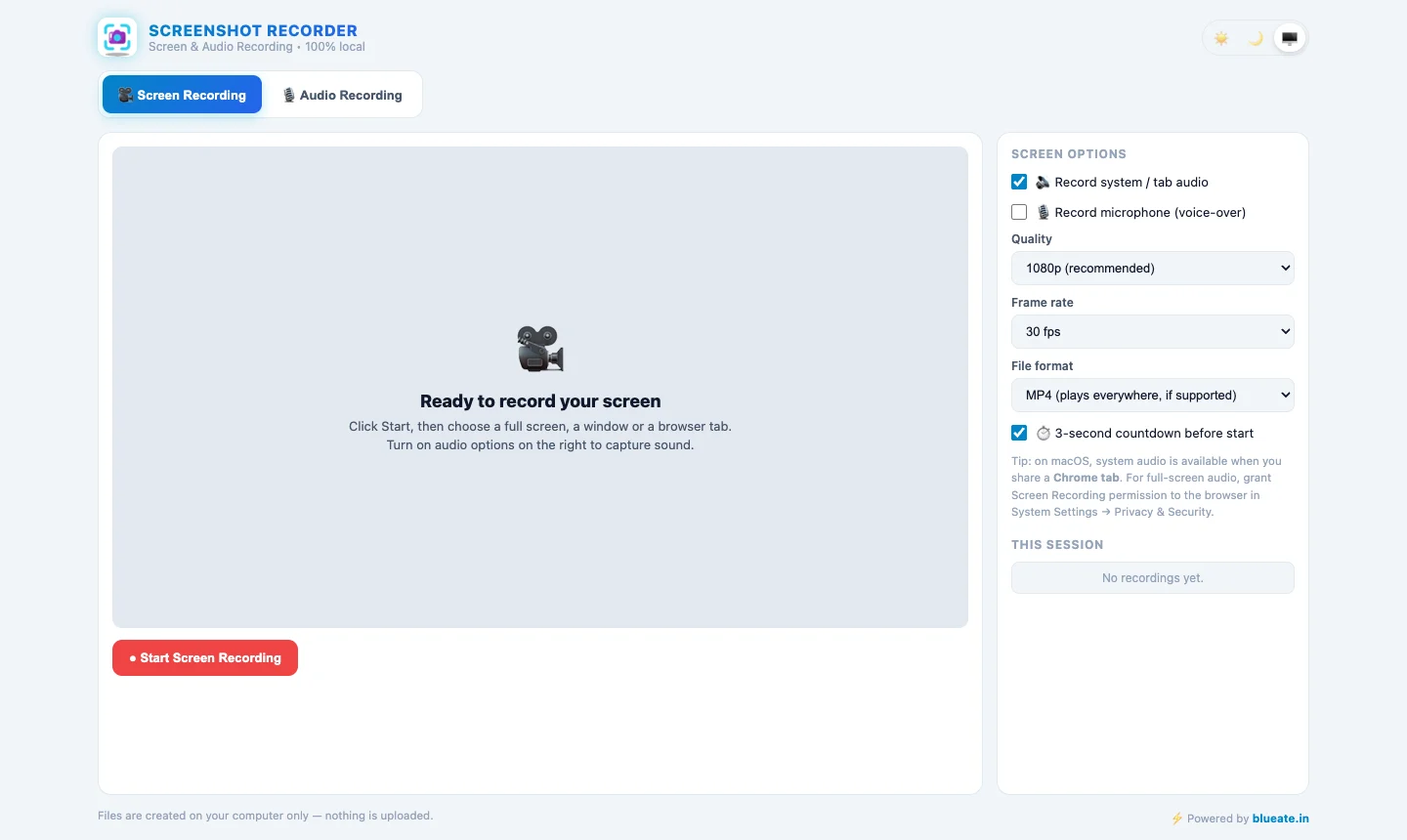
Record your full screen, one window or a browser tab — with system sound and your voice mixed together. Pause when you need to, then save an MP4 that plays everywhere.
- Up to 1080p
- or original size
- 15 / 30 / 60 fps
- smooth or small
- Mic + system
- mixed in one track
Image, video, PDF or clipboard.
PNG
Lossless
JPG
Small files
PDF
One long page — no cuts
Clipboard
Paste in WhatsApp, Slack, Docs
MP4 / WebM
Screen recordings
WAV / WebM
Voice recordings
Your screen stays yours.
- Everything is processed on your computer
- No account, no tracking, no analytics
- No servers — nothing to upload or leak
- Blur and blackout tools for sensitive details
Ready in under a minute.
- 1Download the zip and unzip it.
- 2Open chrome://extensions (or edge://extensions) and switch on Developer mode, top right.
- 3Click “Load unpacked” and choose the unzipped folder.
- 4Pin “Screenshot Suite” from the puzzle icon — it’s ready.
- Is it really free?
- Yes — no account, no watermark, no limits.
- Are my screenshots uploaded anywhere?
- No. Capturing, editing and saving all happen on your computer. The extension makes no network requests of its own.
- Which browsers does it work on?
- Chrome, Edge, Brave and other Chromium browsers. A Firefox build is set up in the same package.
- Why does Chrome warn that it can “read and change data on all websites”?
- That’s Chrome’s standard wording for any extension that can capture full pages on any site. It needs it to scroll and stitch the page you choose — it doesn’t read or send your data.
AI Testing Agent
Describe a website test in plain English — the agent writes the Playwright code, runs it and reports back.
Want a browser extension built for your team?
Tell us how it works today. We’ll come back with a clear plan, timeline and estimate — usually within two business days.